Apple platforms,
hand-built for each
hand-built for each
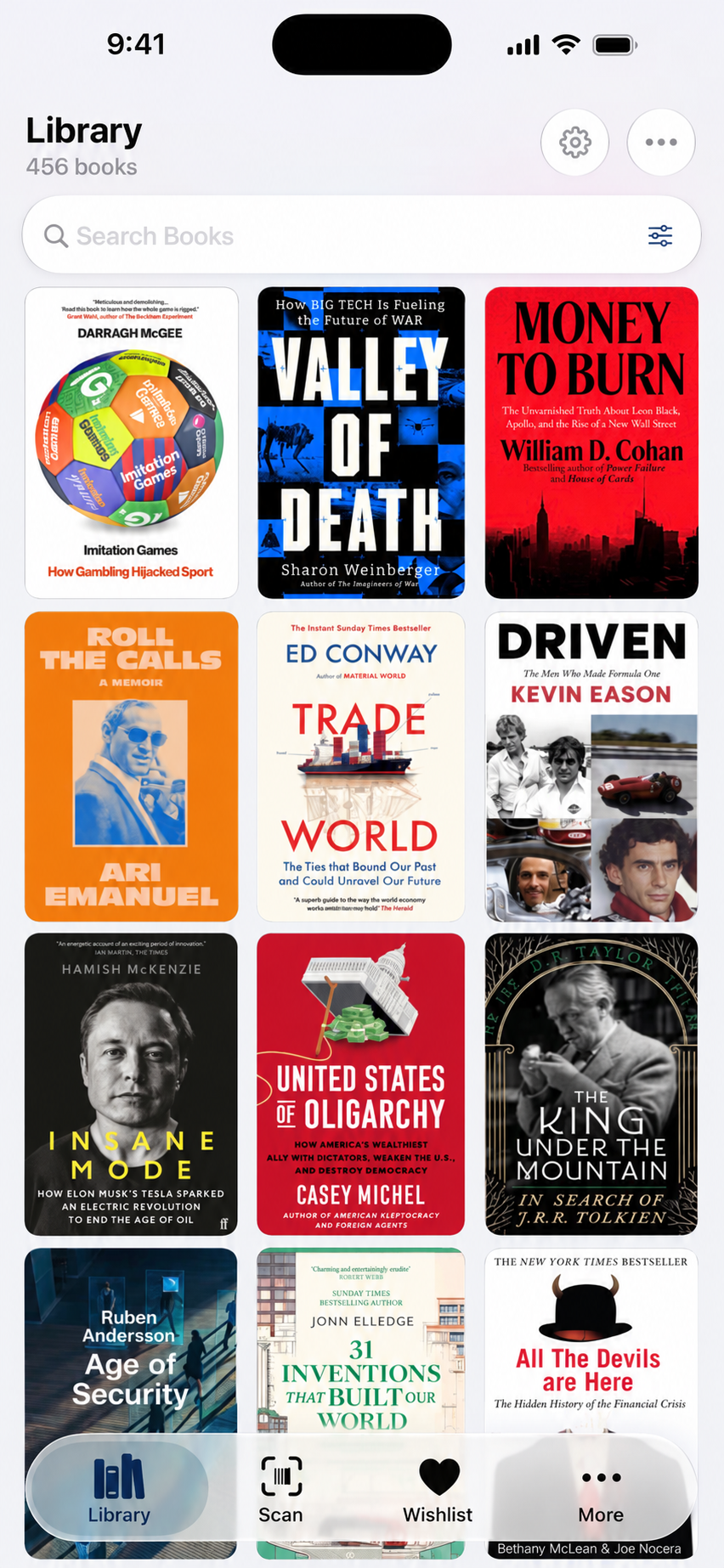
A native catalogue for iPhone, iPad, Mac, and Apple Watch. Scan books fast, sync through your private iCloud account, and use Siri, widgets, and Shortcuts.


Athos 1.2 brings category and publisher tidy-up tools, faster scanned-batch saving, clearer iCloud activity, and a refreshed Apple Watch experience.
File new books using your existing categories. Combine overlapping categories, see why a match was chosen, and undo a tidy-up.
Bring variant names and imprints together, with recommendations explained by a directory of 209 publisher entries.
Keep scanning while lookups run. Review results as covers arrive, retry failed searches, and save ready books together with Add All.
See sync activity, pending changes, and issues in plain language. Review conflicting values and retry work that needs attention.
Each app is built for its device and kept in sync through CloudKit's private database. Native UI, shared data, no web wrapper.
The iPhone app carries the full Athos workflow: capture, search, edit, queue, and log from one hand.
iPad uses a three-column split view for navigation, collection list, and book detail, with keyboard, trackpad, Pencil, and Stage Manager support.
The Mac app is for bulk import, metadata cleanup, compound filters, and exports to JSON or CSV.
The Watch app keeps reading actions close: view the current book, log a session, or mark it finished.
Athos checks eight metadata sources in parallel and keeps the best fields from each: cover, edition, description, subjects, and page count.
Open Scan and point the camera at the book’s ISBN barcode. Captured barcodes enter the lookup queue.
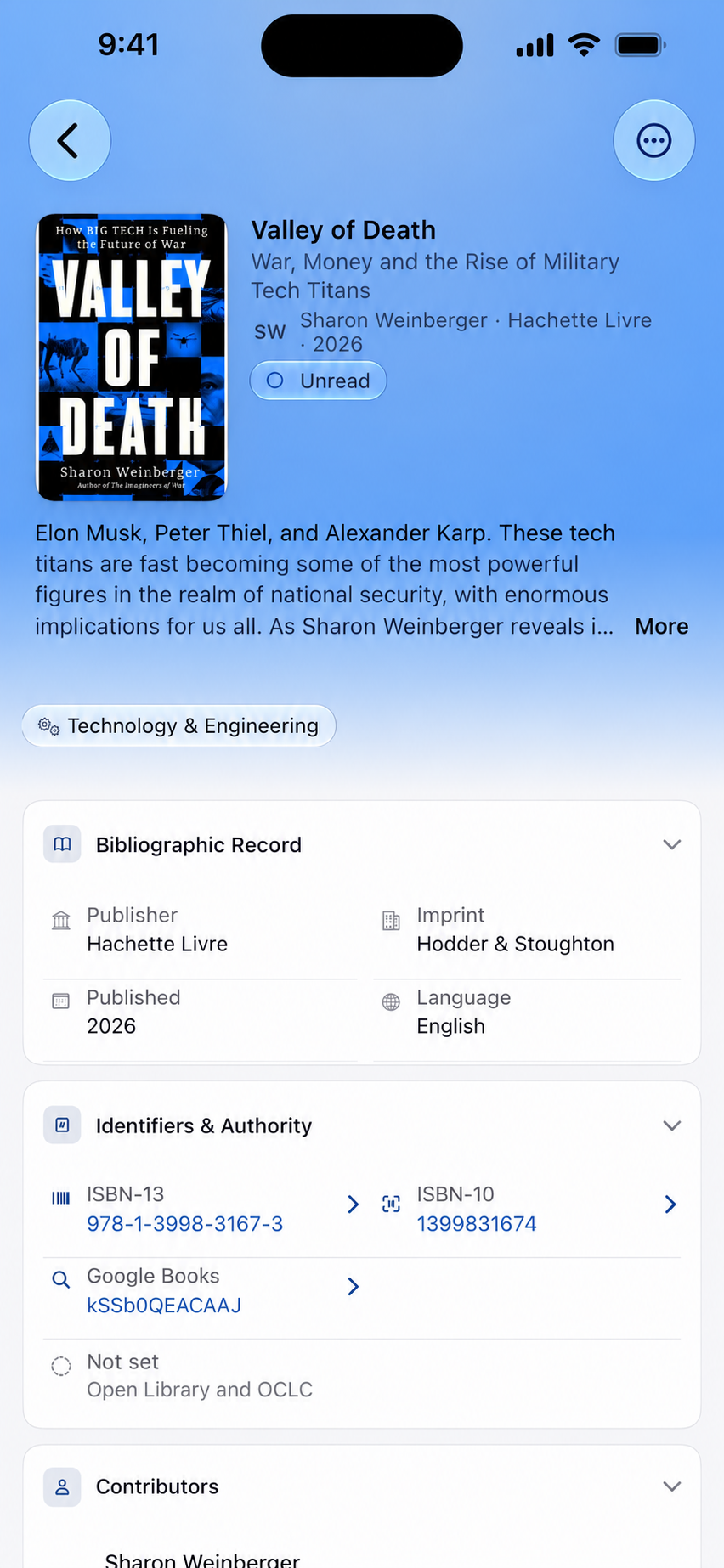
Athos checks its metadata sources for the captured ISBN, bringing back available edition details and cover artwork.
Title, contributors, publisher, identifiers, description, and categories come together in the book record.
Review the record, update your own details, and find the book again through Library search.
Browse by author, publisher, series, or collection. Save filters, switch views, and use Library Tools for cleanup.
Queue holds what you'll read next. Wishlist holds what you may buy later. Reorder, snooze, or promote with a swipe.
See exactly which volume you're missing in any series. Athos shows the run as a strip and marks the holes.
Surface near-matches by ISBN and fuzzy author/title. Merge with one tap, keeping the best metadata from each.
Log who has what. Athos adds the return date as a Calendar reminder so you remember to follow up.
Group by theme, mood, project, or your own taxonomy. Nest collections, drag titles in, refine with smart-collection rules.
Compound queries pinned to the sidebar. Updates live as your library grows.
Select a hundred books, re-resolve covers and descriptions in a single pass. Old imports look new.
Explore the books, pages, categories, publishers, authors, formats, languages, and series in your catalogue. These screens show the same real 456-book library.


Athos syncs through CloudKit's private database. Your library stays in your iCloud account, with offline edits merged when devices reconnect.
Your library syncs through your private iCloud account, not an Athos server.
Offline edits merge field by field. Notes are preserved; ambiguous changes are surfaced.
Open Athos on another device and recent edits are usually already waiting.
Twelve importers preserve ratings, notes, shelves, dates, identifiers, and ownership. Map fields, review duplicates, then commit.
Shelf exports with ratings, reviews, read dates, and bookshelves.
CSVReading journal exports with tags, owned state, read status, and notes.
CSVCollections, tags, reviews, publication metadata, identifiers.
TSV / CSVStructured catalogue metadata exported from your local Calibre database.
CSVCollections with tags, categories, notes, and reading metadata.
CSVClassic shelves with identifiers, publication, and collection data.
XMLDirect migration with contributors, shelves, reading dates, and source IDs.
CSVPersonal library exports with ratings, notes, locations, and ownership.
CSVReading-log JSON with authors, subjects, editions, and identifiers.
JSONBulk plain-text bootstrap ; paste a list and Athos resolves the rest.
TextFor spreadsheet exports from niche trackers and manual catalogues.
CSVStructured arrays or object collections containing book records.
JSONNine interactive widgets for Home Screen, Lock Screen, and StandBy, backed by App Intents.
Athos includes translations across supported languages. Dates, numbers, and currencies follow your device’s regional settings. Version 1.2 updates these translations.
Athos is free for libraries of up to 49 books. Adding the 50th book requires Athos Unlimited, with a monthly subscription or a one-time lifetime purchase. Existing books remain readable without a purchase. Prices are shown in the app for your App Store region.
Purchase sharing depends on the product’s Family Sharing availability in the App Store. Each person keeps a separate library in their own iCloud account.
On your devices, mirrored to your private CloudKit container if sync is on. Athos has no backend for your library.
Yes. Export to CSV or JSON at any time.
No analytics or tracking. Feedback comes by email, not usage data. See the privacy policy.
Captured offline, queued, and resolved when you reconnect.
Yes ; CloudKit sync is opt-in. Run Athos as a single-device library and your data stays entirely on that device.
Sync timing depends on connection, iCloud availability, and library size. The sync status screen shows activity, pending changes, and issues.
ISBN check first, then fuzzy match by title and author. You preview every match and decide per-row before anything is written.
Athos includes translations across supported languages. Dates, numbers, and currencies follow your device’s regional settings. Version 1.2 updates these translations.
No. Athos is built for Apple platforms.
None ; Athos is a catalogue for the books you own, regardless of format. Apple Books is one of eight metadata sources for cover art.
iPhone, iPad, Mac, and Apple Watch. Free for up to 49 books, with monthly or lifetime Athos Unlimited options for larger libraries. No Athos account required.